Pose a robot by hand
Forward kinematics (FK) means setting each joint angle yourself and letting the robot's shape follow. It is the same thing you do when you pose an ordinary Blender armature bone by bone.
Kinema gives you a slider per joint in the Joints (FK) panel.
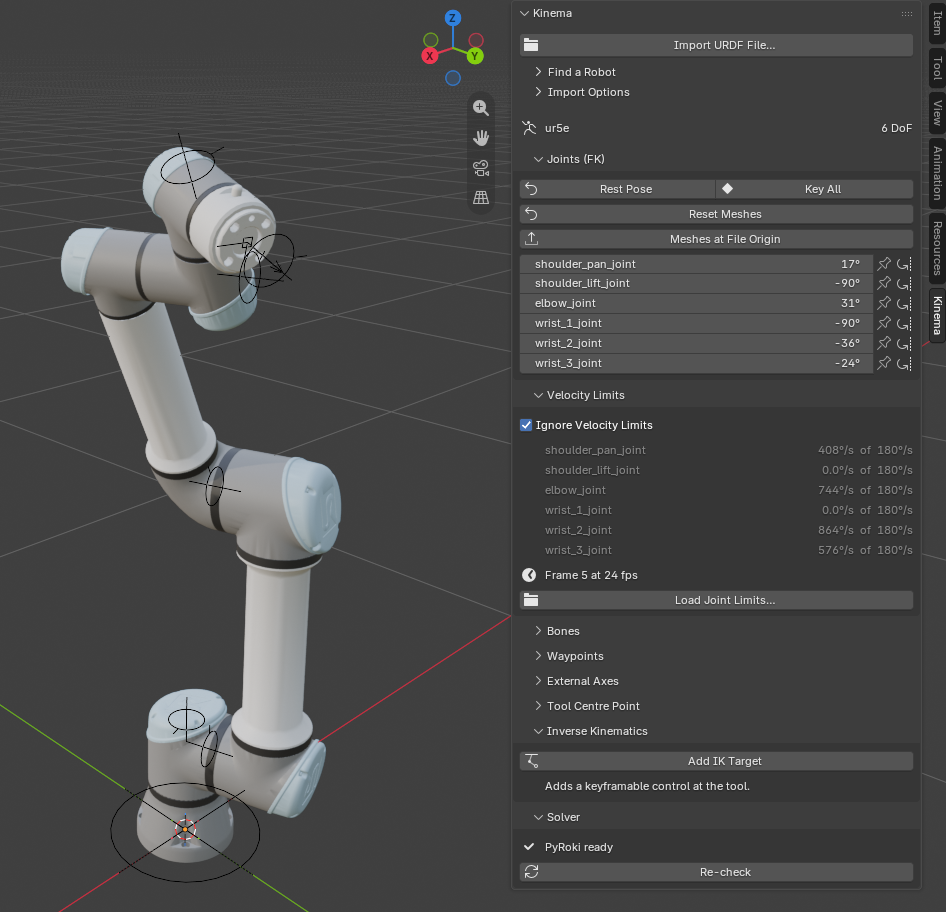
The sliders
Each row is one joint, labelled with the name it has in the manufacturer's data —
shoulder_pan_joint, elbow_joint, and so on. Those names are worth reading: they tell
you what the joint physically does, which is usually more useful than counting bones.
Every slider is clamped to that joint's real range of motion. If the elbow stops at 150°, the slider stops at 150°. You are not fighting the rig; you are being told what the machine can do.
Why one axis per bone
Each joint bone rotates on exactly one axis, with the bone's local Y aligned to the real joint axis. That is what makes a single slider meaningful. See Links, joints and DoF.
You can also grab the bones directly in the viewport — they are ordinary pose bones with rotation limits applied. The sliders and the viewport are two views of the same thing.
Rest Pose
Rest Pose returns every joint to zero.
Zero is not an arbitrary "cleared" state — it is the robot's documented home configuration, the pose its own manufacturer treats as neutral. For most arms that is straight up. It is the fastest way to get un-lost after experimenting.
Key All
Key All inserts a keyframe on every joint channel at the current frame.
This is the FK animation loop:
- Move to a frame
- Pose the joints
- Key All
- Repeat
Keying every joint each time — rather than only the ones you moved — is deliberate. Partial keys on a kinematic chain produce drift that is maddening to debug later, because an unkeyed joint interpolates from wherever it happened to be.
When FK is the right tool
FK is the honest choice when the motion is about the joints:
- A joint-by-joint calibration or inspection sweep
- Showing off a specific axis — "watch the wrist rotate"
- Matching a photograph or a video reference pose
- Any shot where a robot demonstrates its own range of motion
FK is the wrong tool when the motion is about where the tool goes — reaching a point, following a surface, tracing a path in space. Doing that with joint sliders means solving six angles in your head, per frame. That is what IK is for.
Most real shots use both: FK to establish a pose, IK for the part where the tool has to be somewhere specific.
Mixing FK and IK
You can switch freely. The Solver dropdown in the Inverse Kinematics panel has an Off setting that leaves the IK target in place but stops it driving the rig, handing control back to the joint sliders.
That is the clean way to animate a shot that is FK for one section and IK for another: keyframe the joints in the FK section, set the solver to Off for those frames, and let IK take over where you need it.