Preferences
Edit → Preferences → Add-ons → Kinema, then expand the entry.
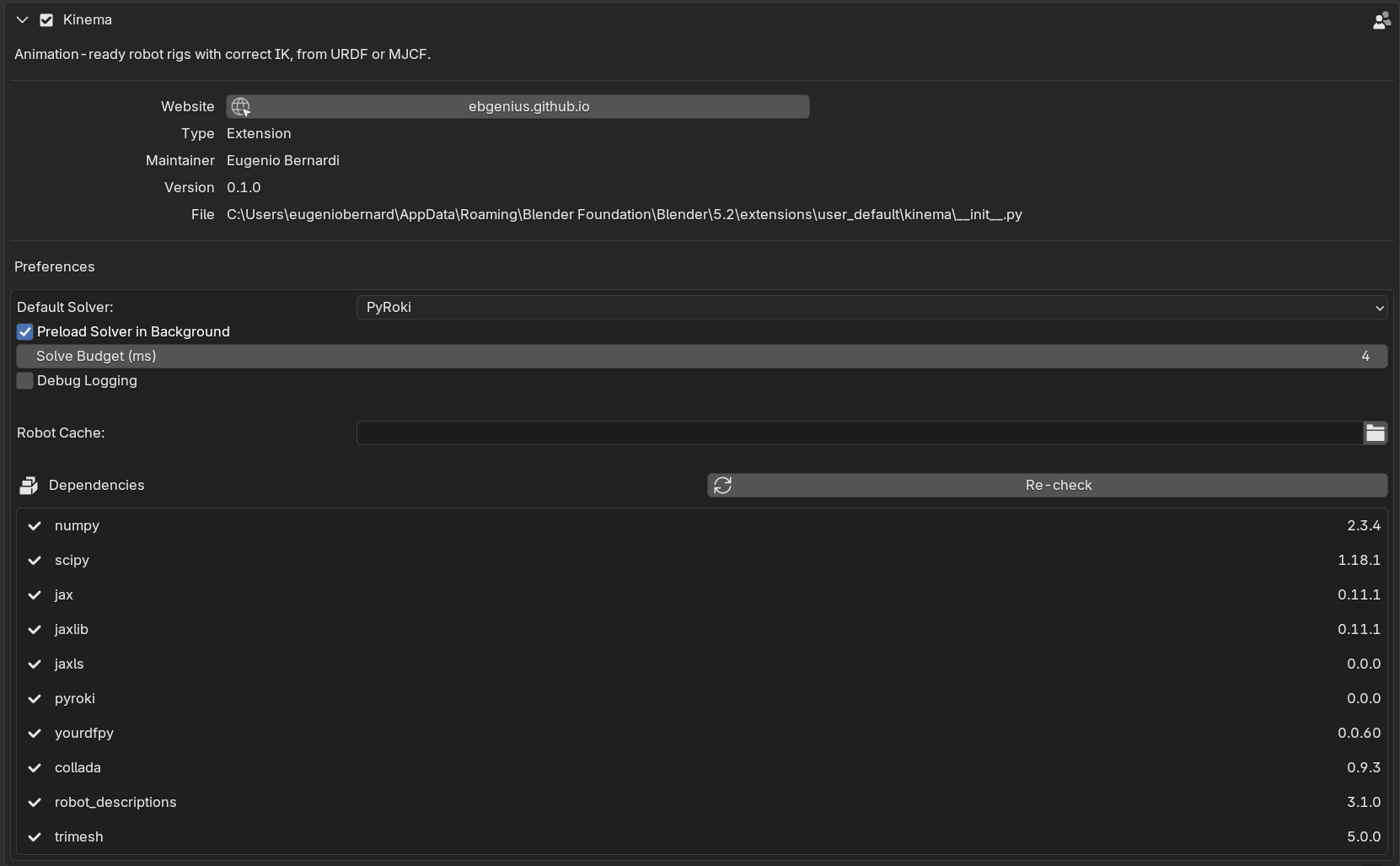
Default Solver
Which IK backend new rigs start with. Existing rigs keep whatever they were set to — this is the default for the next one.
| Value | Behaviour |
|---|---|
| PyRoki (default) | Limit- and singularity-aware solver. Recommended. |
| NumPy | Lightweight damped least squares. No compile step, less robust near singularities. |
| Off | New rigs get no IK; they behave as plain FK armatures. |
Setting this to Off is reasonable if you mostly do FK work and do not want the solver compiling on rigs you were not going to solve. You can still add IK per rig afterwards.
See the two solvers.
Solve Budget (ms)
Default: 33. Range: 4–1000.
If a live solve takes longer than this, Kinema pauses live updates and says so in the IK panel.
33 ms is roughly one frame at 30 fps — the point past which dragging the IK target stops feeling connected to the viewport.
Raise it for large rigs where you would rather have slow live feedback than none. Lower it if you want the guard to trip sooner. Baking ignores this entirely: it solves every frame however long that takes.
See the solve budget.
Package Search Paths
Default: empty.
Extra directories to look for ROS packages in, searched in addition to the repository holding the file you are importing.
A xacro reaches other packages by name. A KUKA arm pulls its materials from a sibling
kuka_resources; a cell description pulls the robot from wherever that vendor's repository
was cloned. When everything lives in one checkout Kinema finds it without help, because it
indexes the repository around the file you picked.
Add a path here when it does not — typically a workspace laid out as several checkouts side by side, where the robot and the cell that uses it are separate clones:
~/ros_ws/src/
├── my_cell_description/        ← the file you import
├── kuka_robot_descriptions/    ← referenced by name
└── kuka_resources/             ← referenced by name
Point one entry at ~/ros_ws/src and all three are found.
Kinema identifies a package by the name it declares in its package.xml, not by the
name of the folder it sits in. Those differ more often than you would expect — GitHub's
Universal_Robots_ROS2_Description declares itself ur_description — and a description
referring to it by the declared name is correct.
Bounded on purpose
Kinema does not search your whole drive. Without a search path it looks only inside the checkout containing the file you imported, which keeps a mis-typed package name from turning into a filesystem crawl.
See A robot will not import at all.
Debug Logging
Default: off.
Prints solver diagnostics to the system console.
Normally the solver's internal logging is silenced, because it emits several lines on every single solve — which, with live IK running, is several lines per frame.
Turn this on when investigating a problem or filing a bug, and open the console first:
- Windows — Window → Toggle System Console
- macOS / Linux — launch Blender from a terminal to see the output
Dependency report
The preferences also list every component Kinema depends on and whether it loaded, with a version number or the import error.
This is the detailed version of the Solver panel status, and it is the
right thing to screenshot when reporting a problem. Nine entries, all of which should read
ok:
numpy, scipy, jax, jaxlib, jaxls, pyroki, yourdfpy, collada, trimesh.
Changed in 0.3.0
Two preferences went away. Robot Cache pointed at a download directory, and there
are no downloads any more. Preload Solver in Background imported the solver on a
worker thread at startup, and Blender extensions may not start threads — the solver is
imported on first use instead, which is where the 2–5 second pause now falls. The
robot_descriptions row left the dependency list with the downloading catalog.